 ShiftMaster
Everything a driver's day needs. Nothing it doesn't.
From the moment you tap Start Shift to the invoice you send on Sunday. Screens below are from the real app with demo data.
Arrivals and departures, logged by themselves
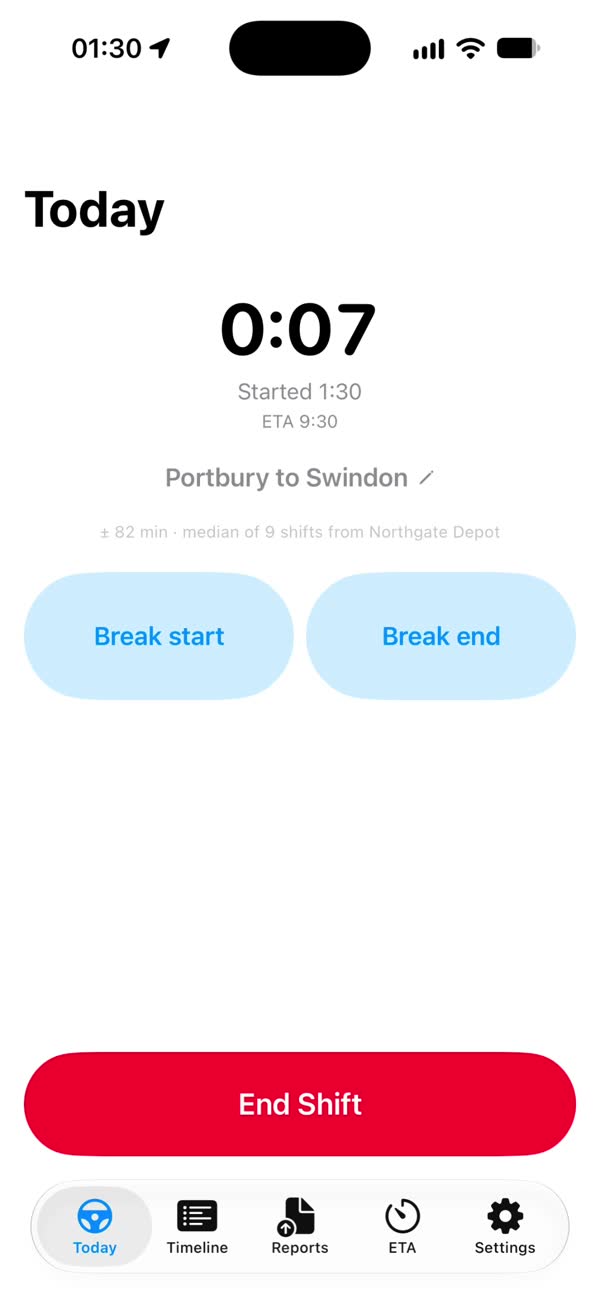
Tap Start Shift and put the phone in your pocket. ShiftMaster logs when you arrive and leave the yard and each client site.
- Low-power location only: iOS visits, regions around your saved sites and significant location changes. It never runs continuous GPS.
- Keeps working in the background, so you can lock your iPhone or use other apps during a shift.
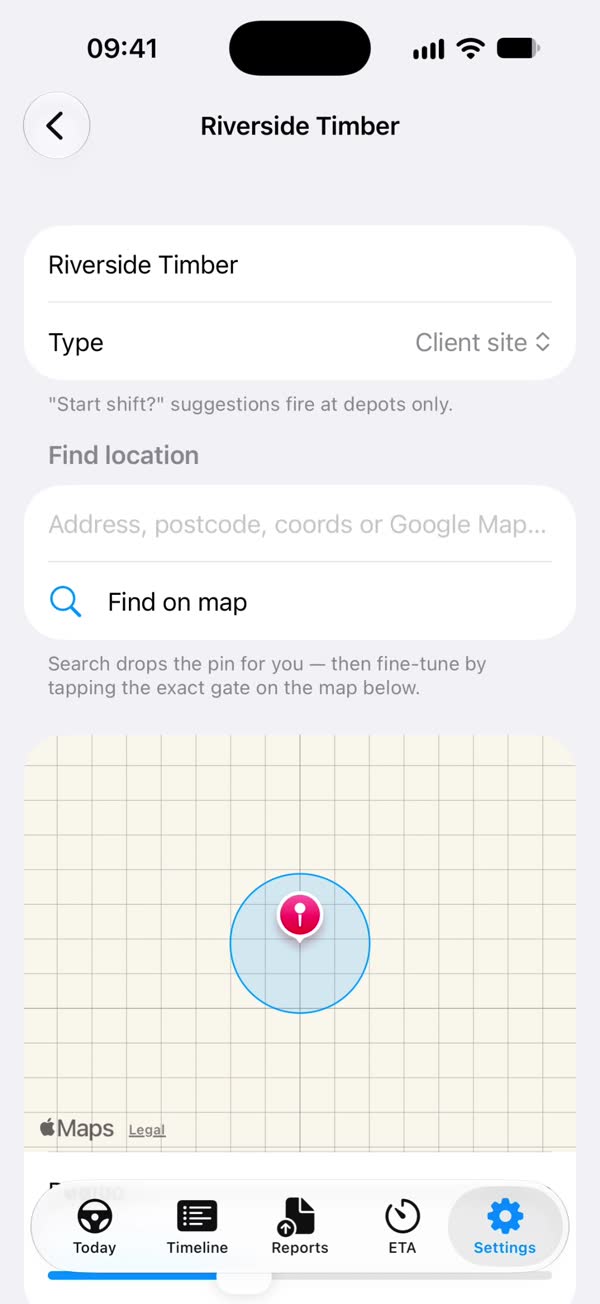
- Name a site once. A new stop appears without a name; tap Save as new site and every visit after that is named automatically.
- Up to 20 active sites are watched at once (an iOS limit). Stops anywhere else are still logged, just without a name.
- Battery dashboard shows your battery level through the last shift.
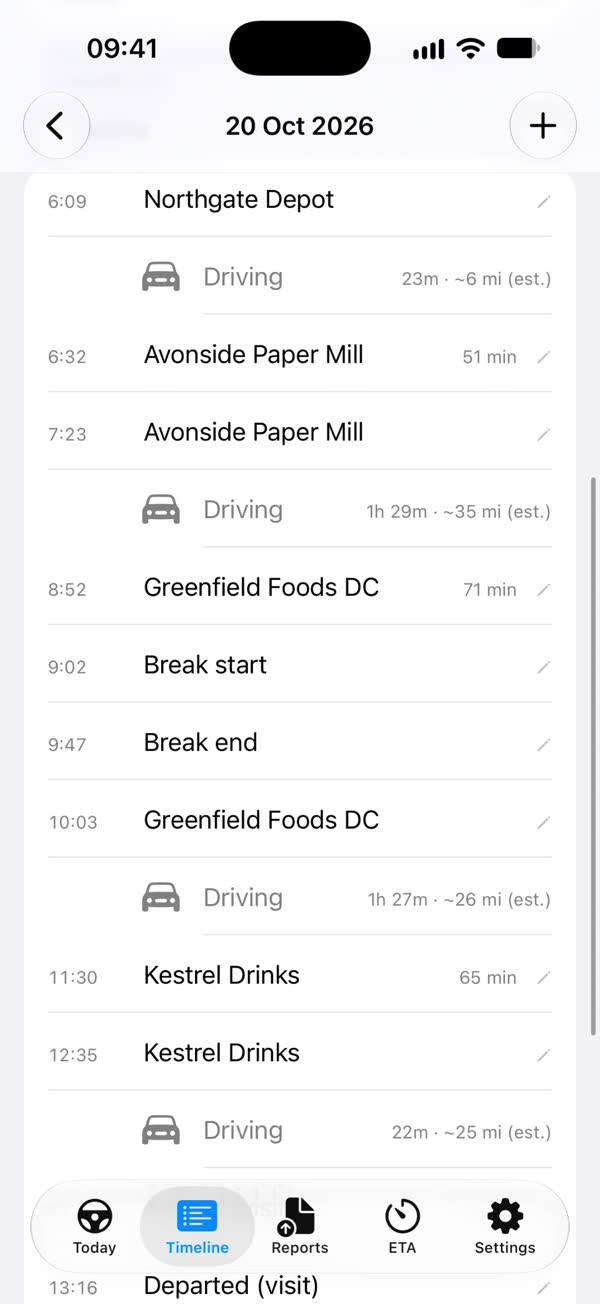
Your whole day, stop by stop
Each shift shows its arrivals, departures, driving legs with estimated miles, and breaks.
- Tap a stop to rename it, or add one by hand with +.
- Start and end times of finished shifts can be edited.
- Break start and Break end buttons on Today log your breaks.
- Share photos, videos and recordings into ShiftMaster and they attach to the shift they were taken on.
- Reminder rules: after shift start, at a fixed time, or when you enter or leave a site.
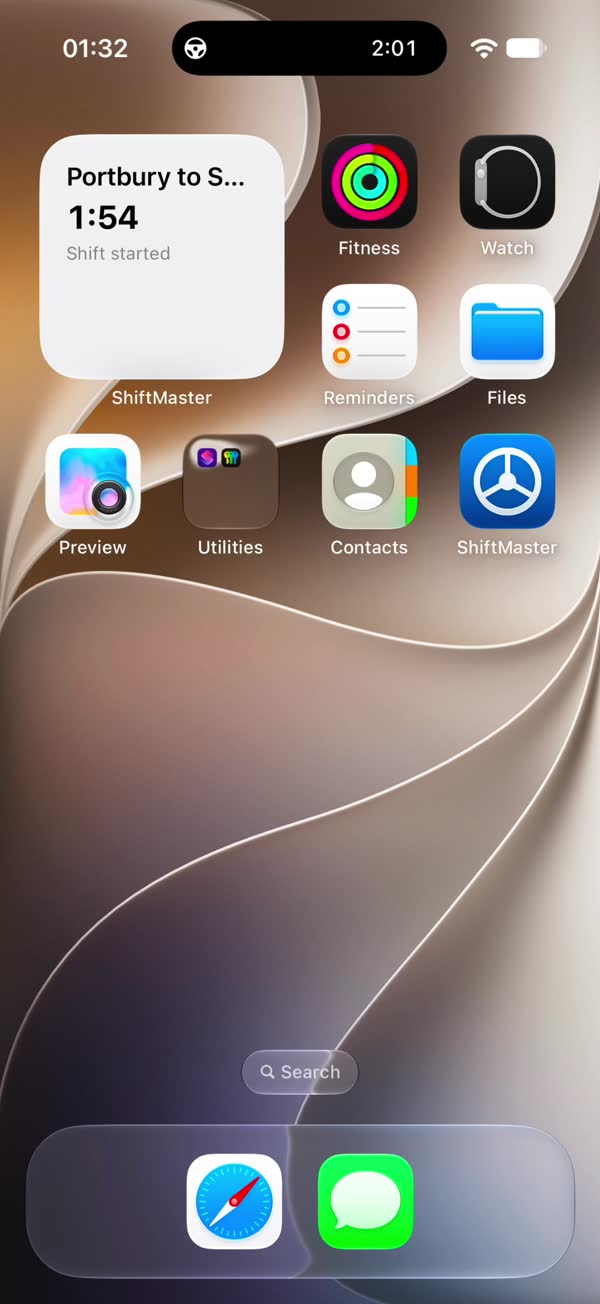
- A Shift status home-screen widget shows the running shift.
Weekday, night and weekend rates, worked out for you
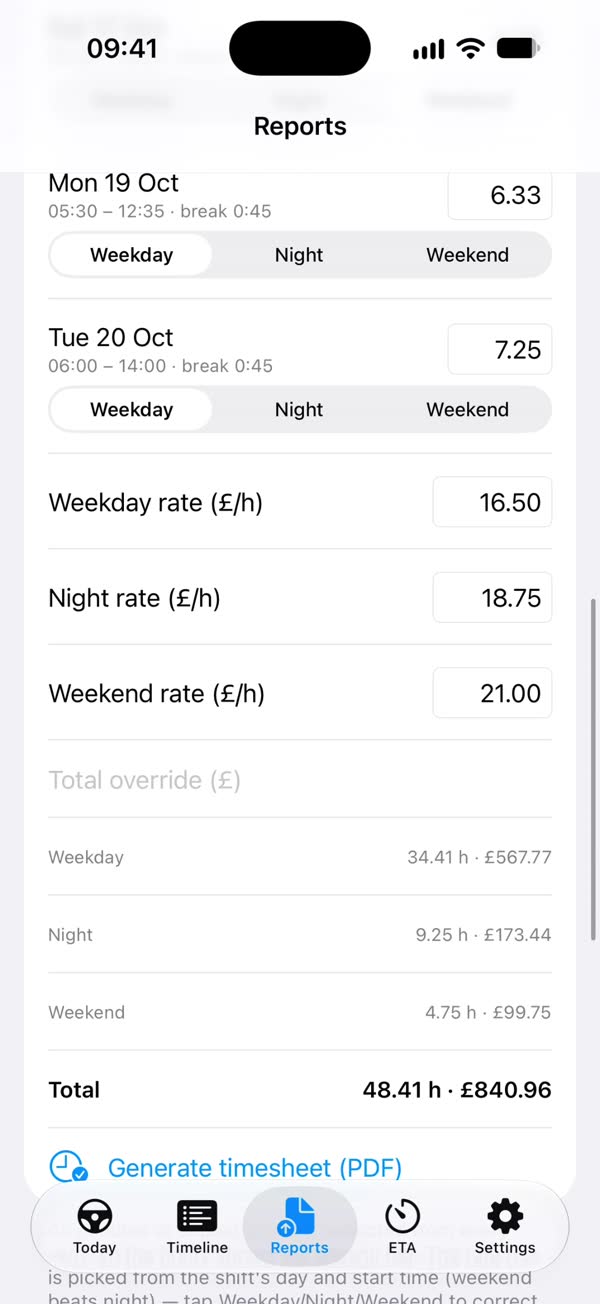
Pick the dates, tap Load shifts, and the week is laid out with the right band for each shift.
- Three hourly rates: weekday, night and weekend. Rates are only needed for the bands you worked.
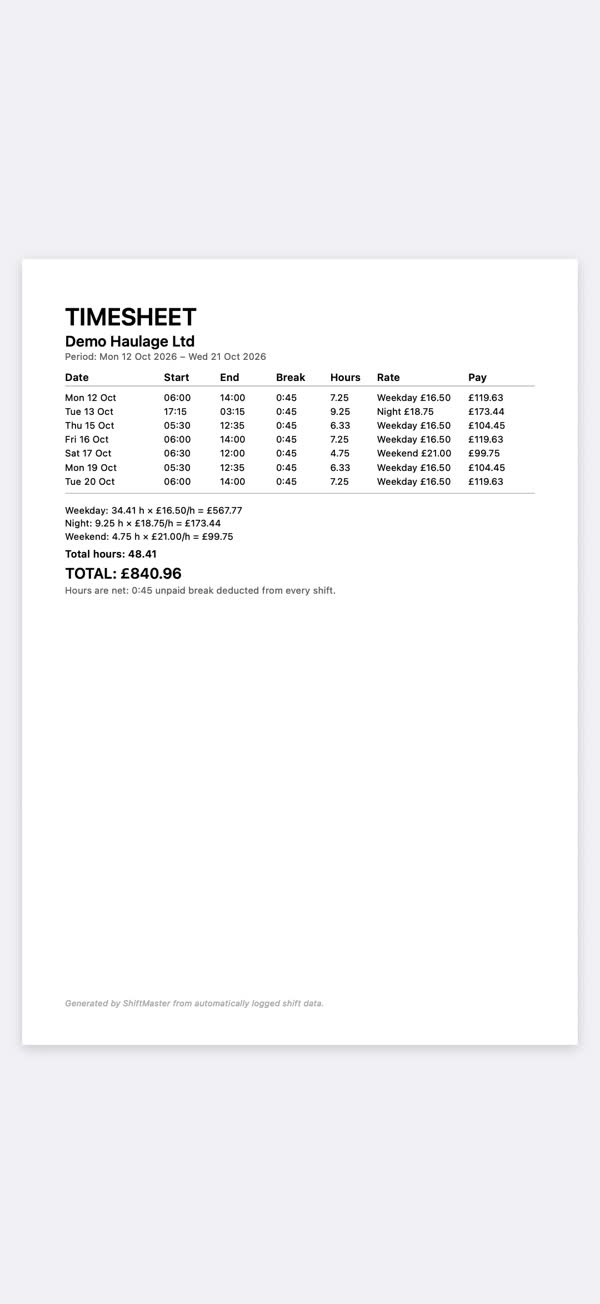
- 45 minutes unpaid break is deducted from every shift. Hours and the band can be changed per row.
- Generate timesheet (PDF) and share it straight from your iPhone.
Invoices with your business and bank details
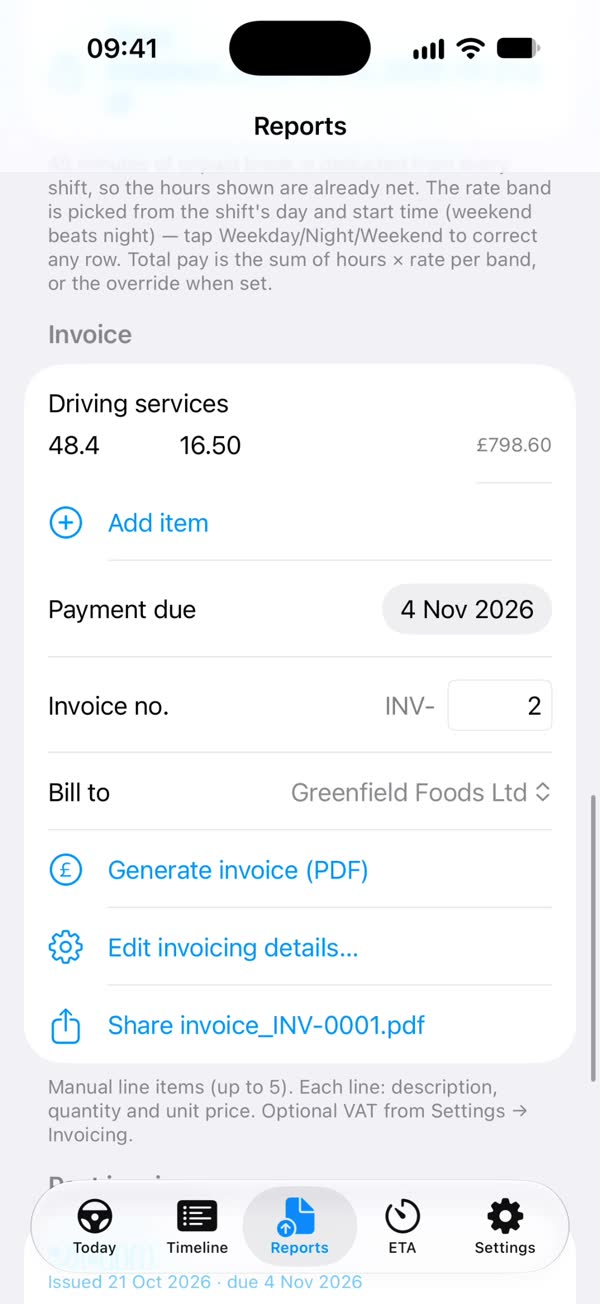
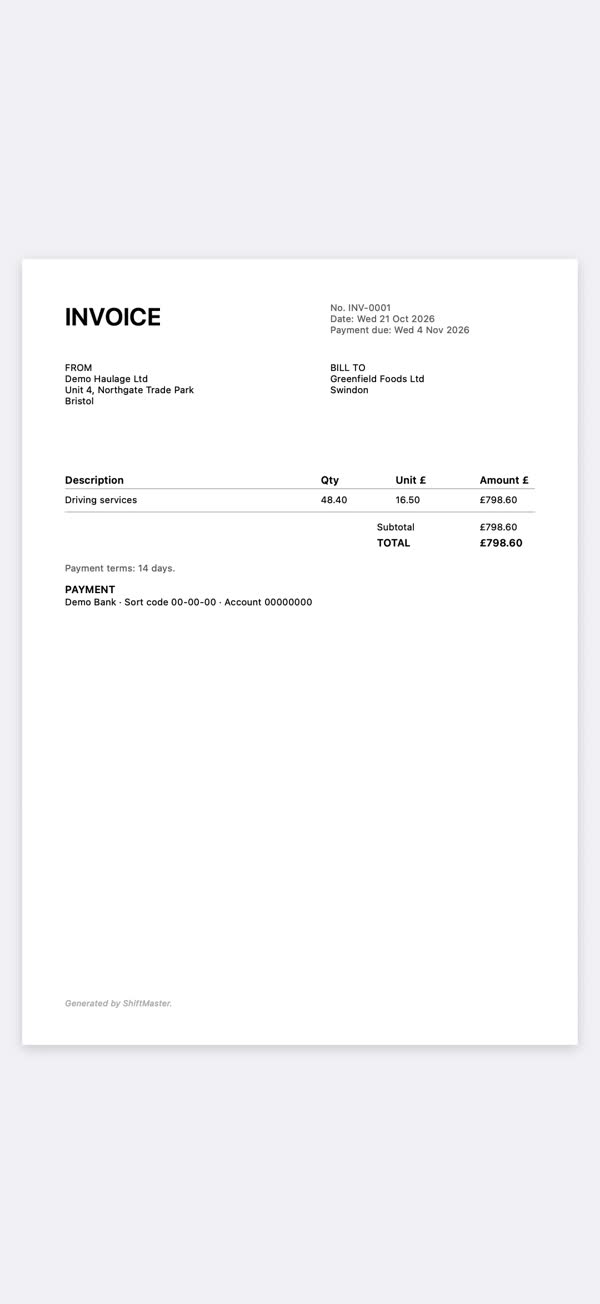
Set up your business once in Settings → Invoicing, then bill each client from Reports → Invoice.
- Saved clients: keep a list and pick who you're billing with Bill to.
- Invoice numbers count up by themselves and never repeat. Change the next number if you want to continue your own numbering.
- Payment terms can be any number of days.
- Past invoices, timesheets and reports are kept in their own lists, ready to share again.
PDF, Excel or map reports
Choose Today, Yesterday or your own dates and pick a format.
- PDF daily reports, with the option to attach photos and videos.
- Excel export for your own records.
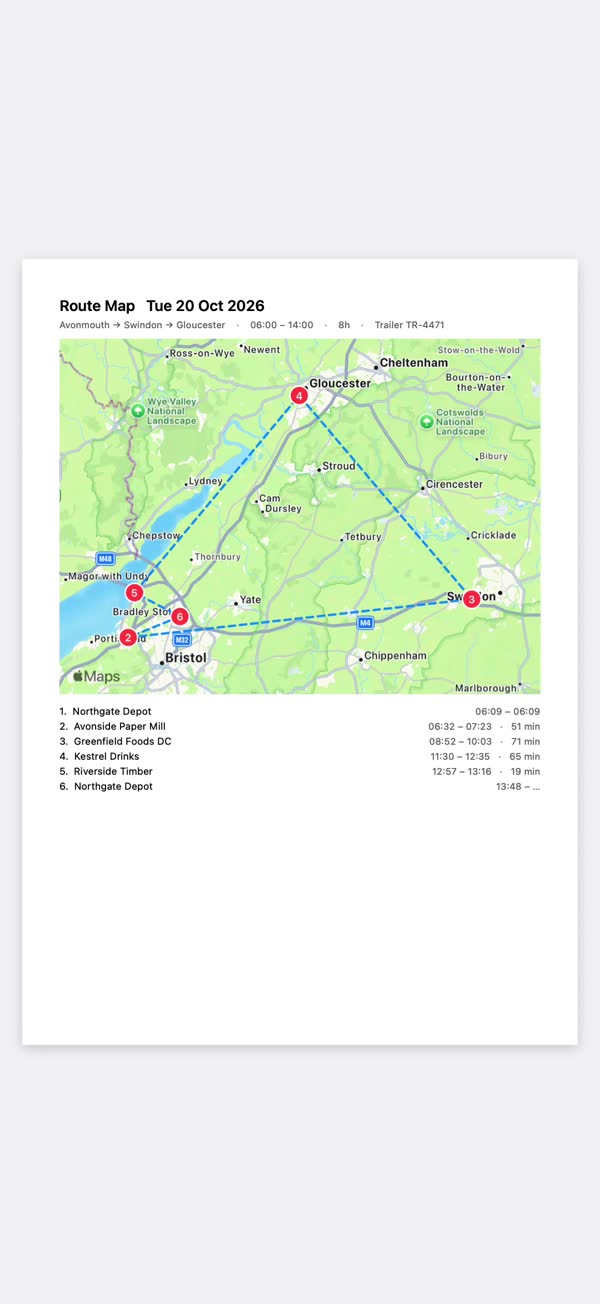
- Map report with numbered stops drawn on Apple Maps (needs an internet connection).
Plan the job from a screenshot of the job sheet
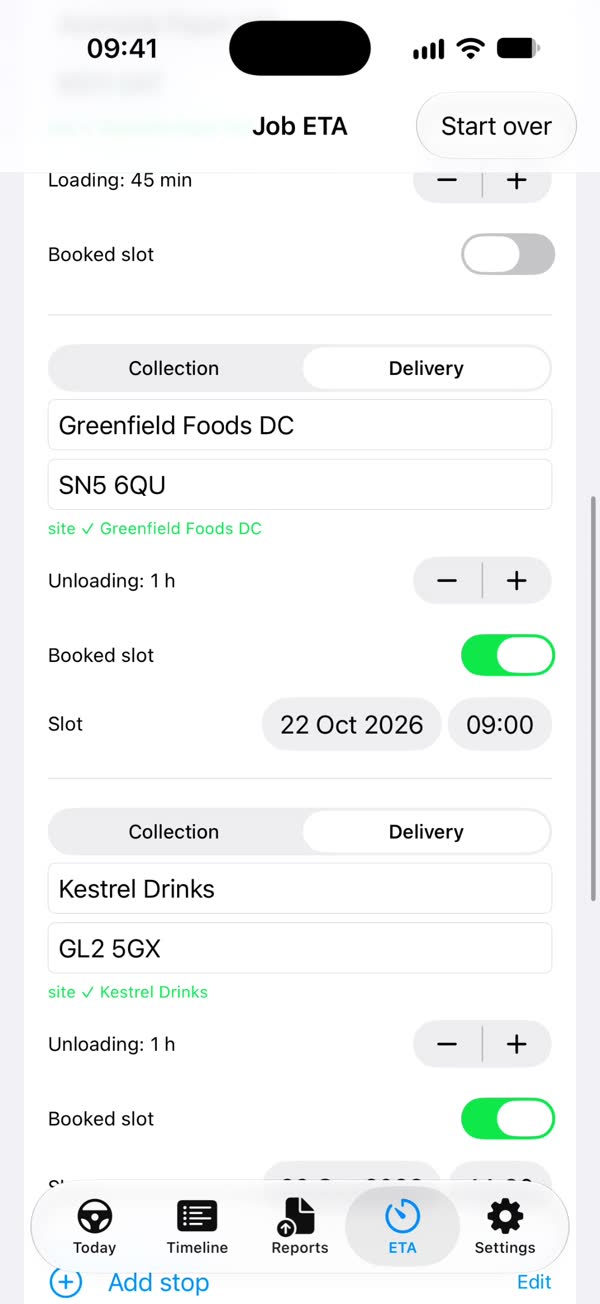
Screenshot the job sheet and ShiftMaster reads the stops, postcodes and booked slots, then plans the day.
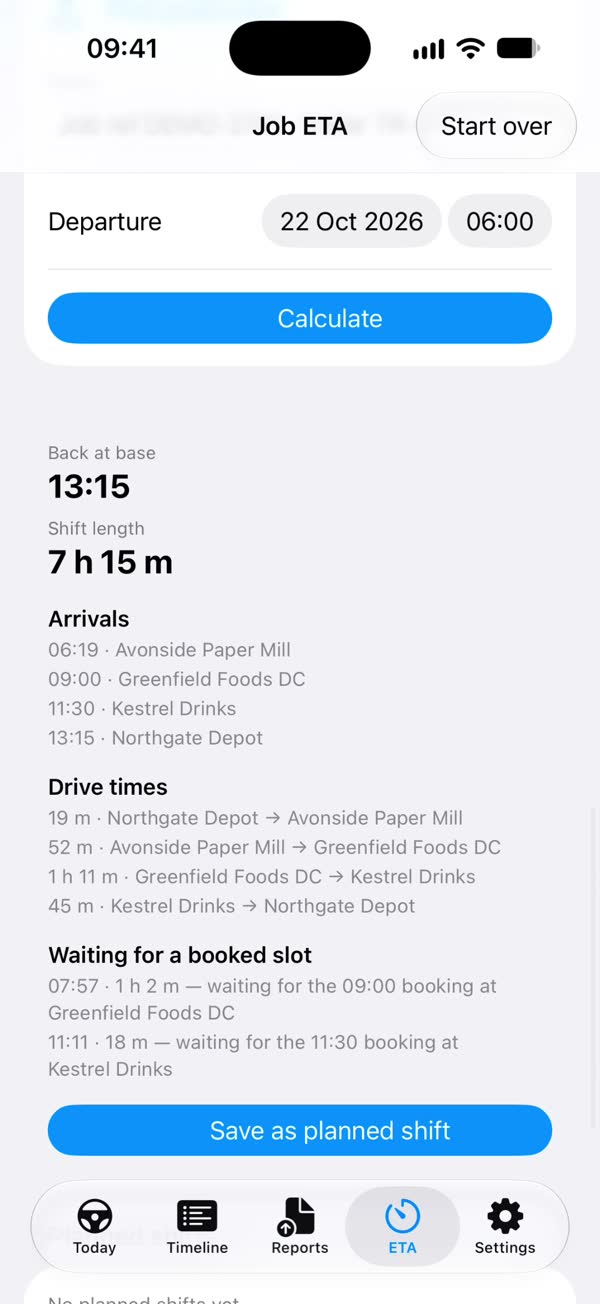
- Drive times from Apple Maps, adjusted by an HGV factor you set (1.2 by default).
- Adds loading and unloading time, waits for booked slots and breaks, using simplified GB/EU drivers' hours and working-time rules.
- Every plan starts and ends at your base (depot or yard). Save it as a planned shift or share it as a PDF.
- Uses your own API key for Anthropic, OpenAI or xAI. The app asks for your consent first, and the provider bills you directly; ShiftMaster never charges for it.
- A planning aid with estimated times, not a legal hours checker or a tachograph.
Your data, backed up where you choose
There's no cloud account, so you stay in control of every copy.
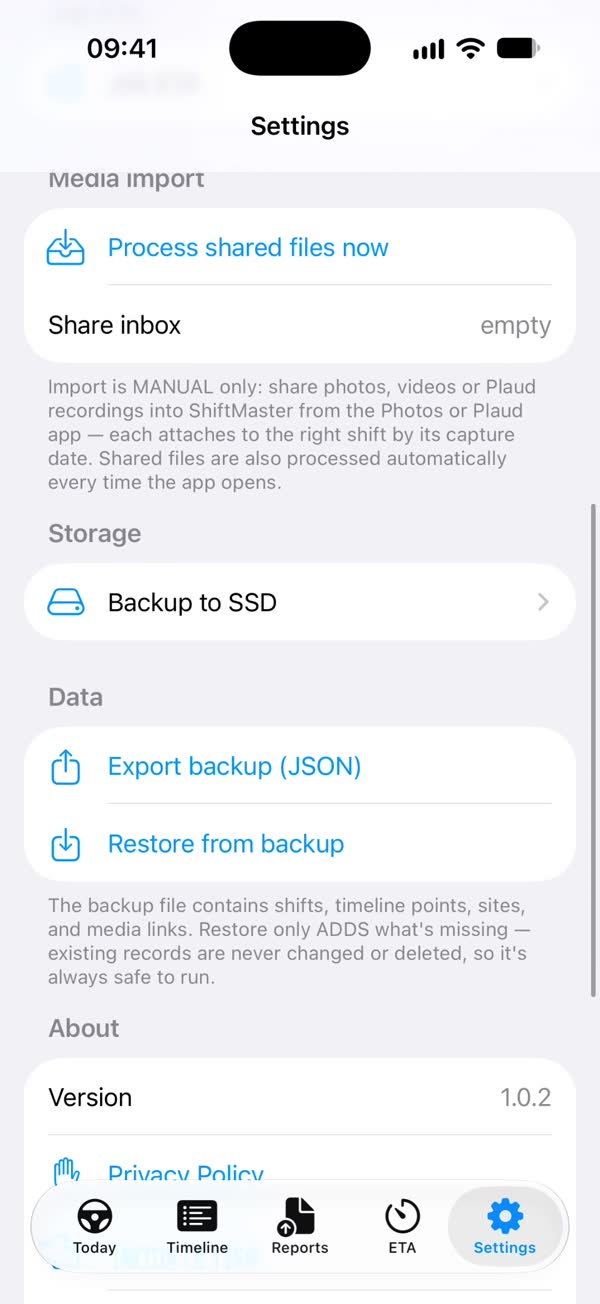
- Export backup (JSON) saves your shifts, timeline and sites as one file.
- Backup to SSD also copies every photo, video, recording, report, timesheet and invoice to a drive or a Files folder. It only copies and never deletes.
- Restore from backup on a new iPhone, then Restore Purchases for Pro.
Free to log. £12.99 once for the paperwork.
Try Pro free for 30 days. No subscription.